For families that
level up together.

Turn chores and good habits into an epic family adventure.

FamilyQuest gamifies home life — chores earn XP and real allowance that parents pay out, savings accounts earn weekly interest, and learning missions can earn optional cash bonuses you set. Home management that the whole family actually wants to engage with.

No commitment·Credit card required for trial·Cancel anytime
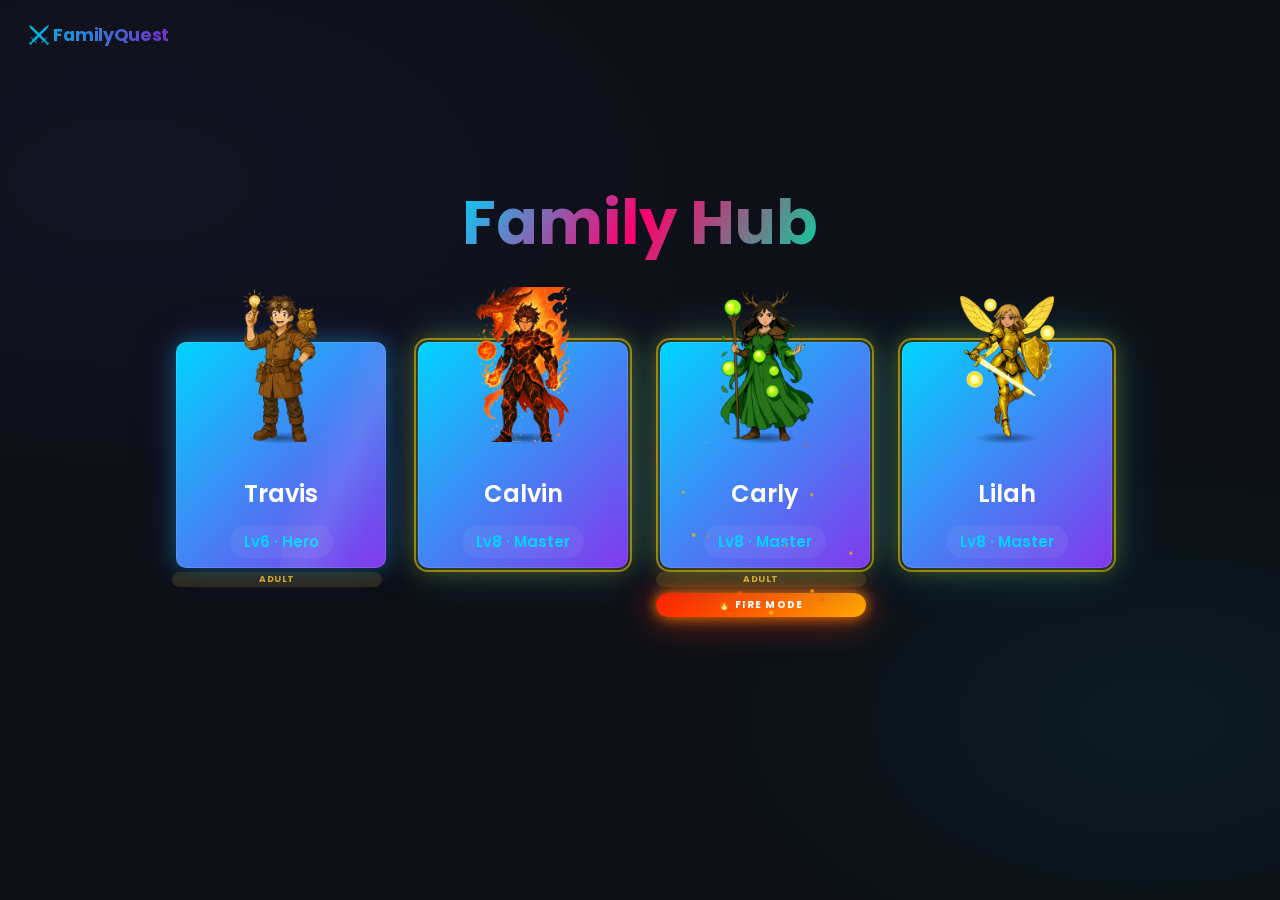
yourfamily.familyquest.casa
FamilyQuest family login — character cards for each family member

Everything your family needs —
every morning.

yourfamily.familyquest.casa/today
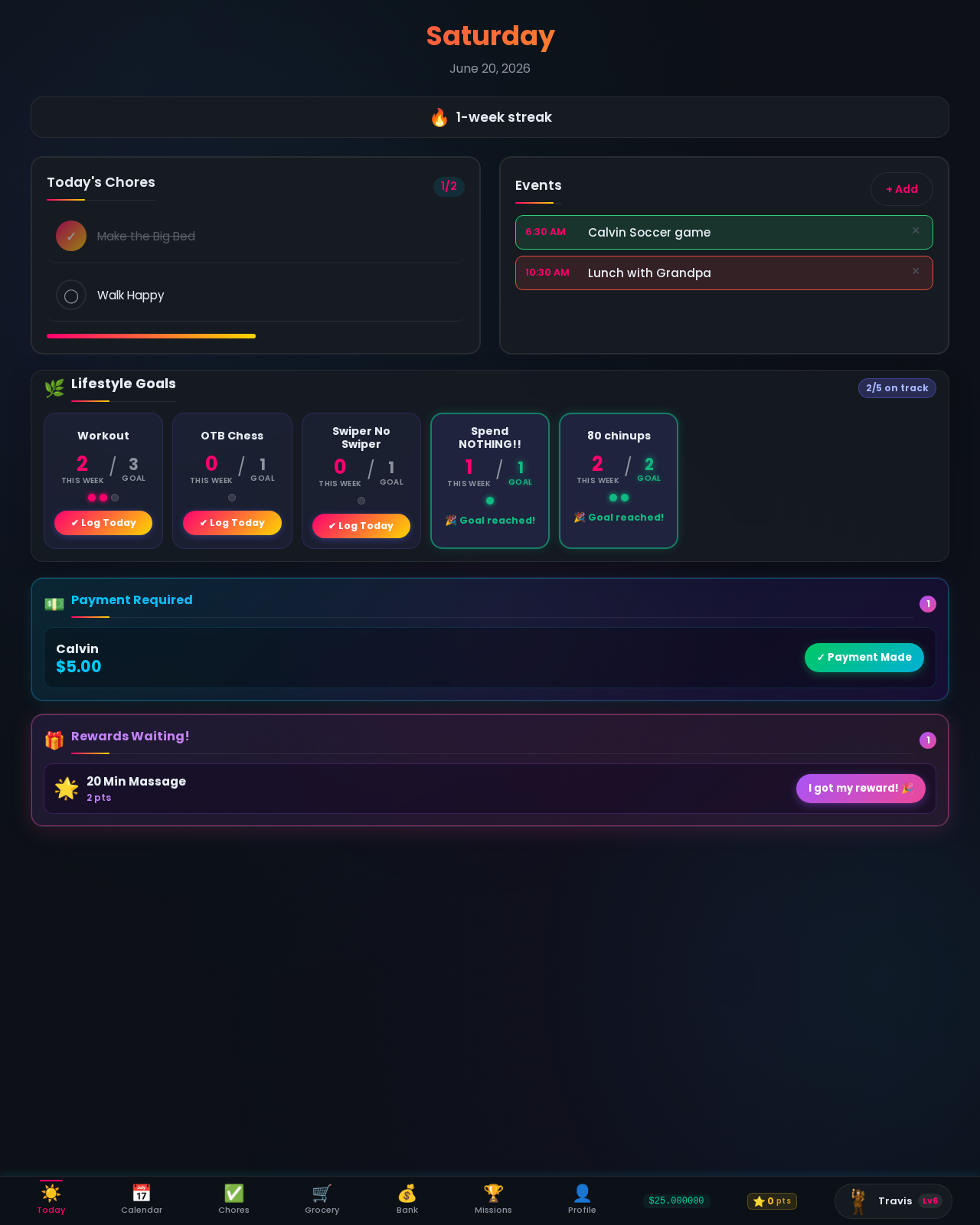
Travis's Today page showing streak, chores, lifestyle goals, calendar events, and rewards waiting

The Today page is your family command centre. Chores for the day, lifestyle goal progress, upcoming calendar events, active streak, and any lifestyle rewards waiting to be claimed — all on one screen. Check-in takes 30 seconds.

  • Fire streak front and centre every day — motivates consistency without any nagging
  • Today's chores only — no noise from the rest of the week, just what needs doing now
  • Lifestyle goal logging right from the dashboard — reading, workouts, practice
  • Syncs with Google Calendar so events show up alongside daily tasks
  • Rewards Waiting alert when kids have enough lifestyle points to redeem a privilege

Mount it in the kitchen.
Always there when you need it.

Family gathered around a tablet on a kitchen counter showing the FamilyQuest login screen

FamilyQuest works best as a dedicated family hub — a tablet mounted on a stand on your kitchen counter, always showing the login screen. Pair it with JustKiosk (free tablet kiosk app) to lock the browser to FamilyQuest and wake the screen automatically when someone walks by.

  • Lock the tablet to FamilyQuest — no wandering into YouTube mid-chore-check
  • Motion detection wakes the screen when a family member approaches
  • Screen turns off when no one is around to save battery
  • Works on any Android or iPad tablet — an old one you have lying around is perfect

JustKiosk is a free third-party app available on the Google Play Store. FamilyQuest has no affiliation with JustKiosk.


No more "whose turn is it?" —
the grid decides.

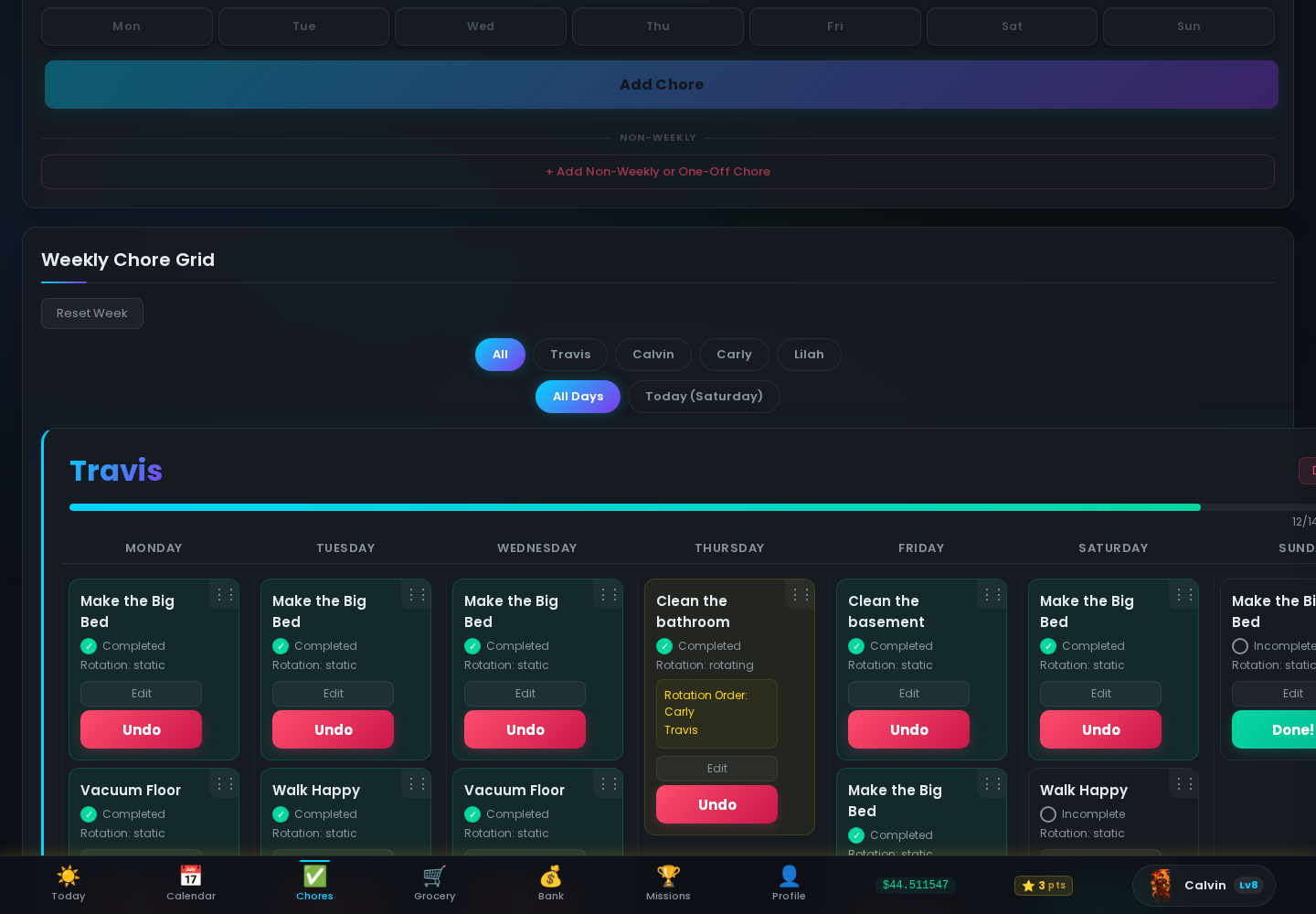
Build a drag-and-drop weekly schedule for each family member. Every chore gets the frequency it deserves — daily, specific days of the week, rotating among kids, or just once.

  • Daily chores or pick specific days — vacuum on Tuesdays, walk the dog every day
  • Static assignments for consistency, rotating assignments so no one always gets the bathroom
  • Non-weekly and one-off chores for irregular tasks — seasonal jobs, special requests, anything outside the normal cycle
  • Kids check off their own chores; auto-resets every Monday at 2AM with streaks and allowances calculated
yourfamily.familyquest.casa/chores-page
Weekly chore grid showing all family members and their assigned chores

From Rookie to Dragon Rider
they earn every level.

yourfamily.familyquest.casa/profile
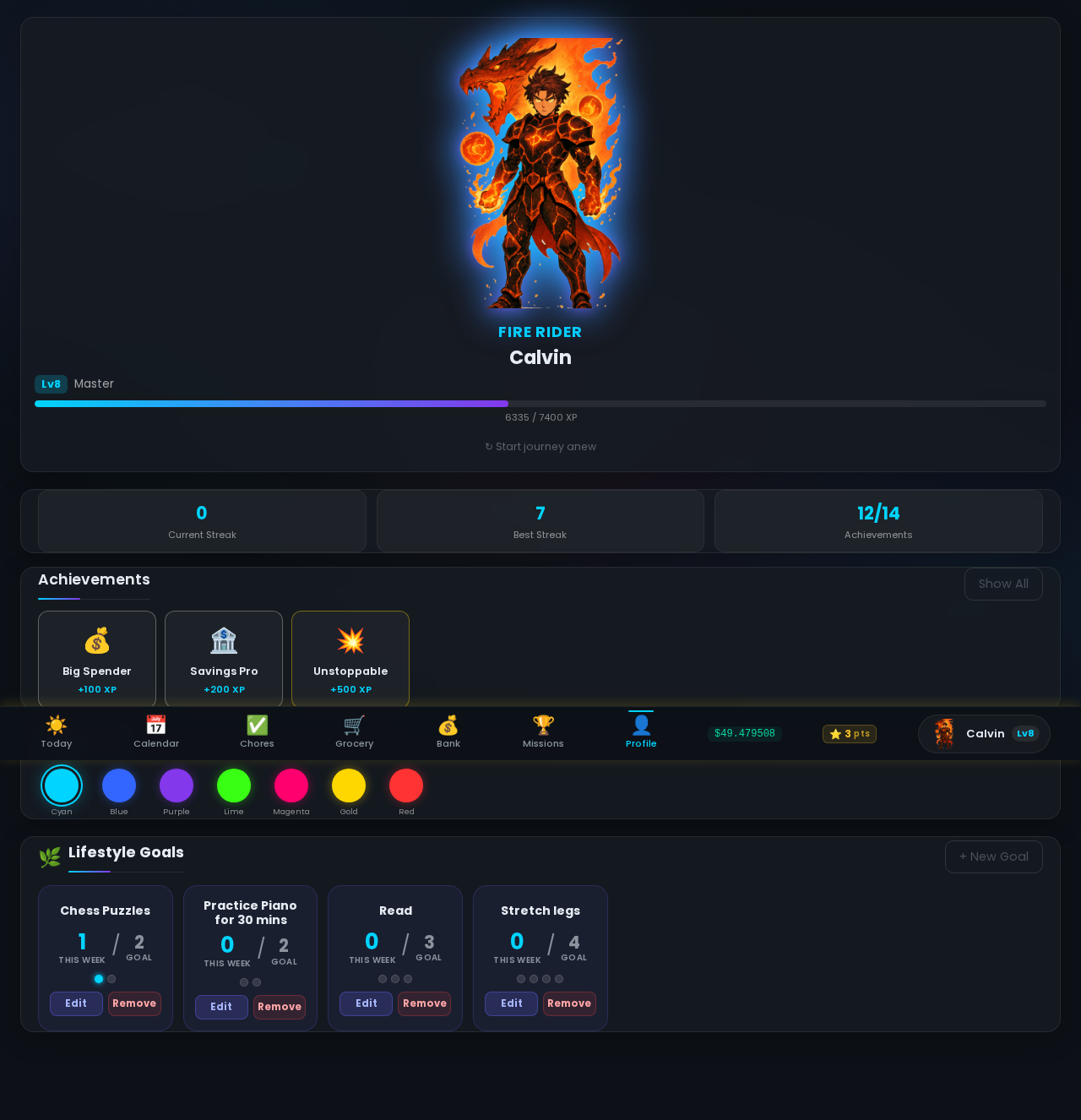
Character profile showing Dragon Rider, party, and achievements

Every chore and good habit earns XP. Every level unlocks new character art. At Level 6, kids choose a class — Dragon Rider, Shadow Ninja, Tek Knight, Battle Fairy — and watch their avatar evolve all the way to Level 10.

  • 10 levels and 8 character classes with illustrated evolution at each tier
  • Fire Mode activates after 3 perfect weeks — 50% allowance bonus and ember effects on their login card
  • Party system shows the whole family's characters levelling up together
  • 14 tiered achievements — bronze toasts, silver banners, gold full-screen celebrations

The money lesson
schools forgot to teach.

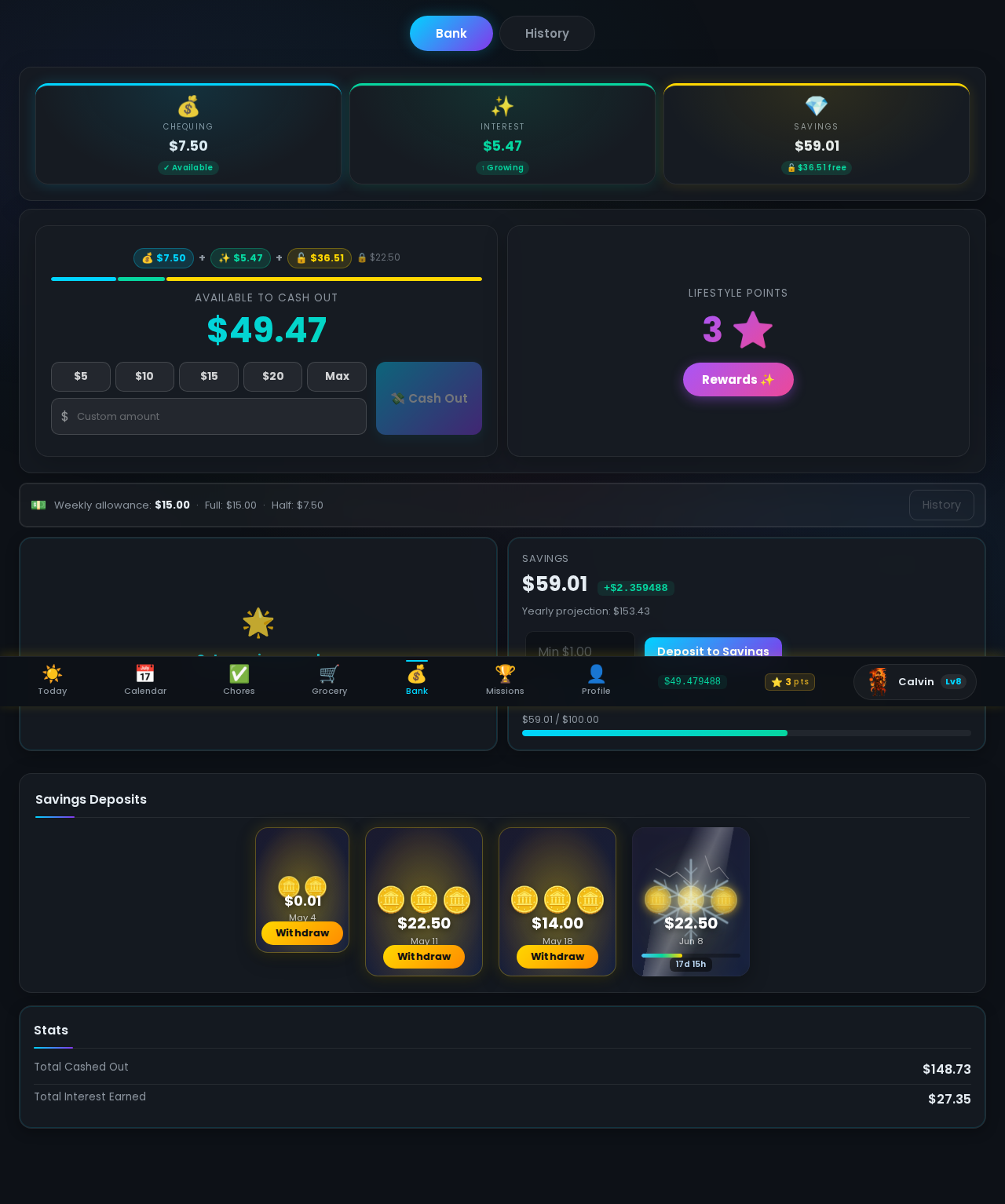
You set an allowance for each child, earned by completing chores — 100% done earns the full amount, you set the rate. Kids can spend it, save it, or lock it in a savings account that earns interest every single week. Watching that balance grow through passive income teaches financial literacy that sticks.

100%
All chores done = full allowance
Weekly
Interest credited every reset
Tracked
Payment requests show up in your daily dashboard
  • Completion-based allowance — 100% earns full pay, ≥50% earns half, below that earns nothing
  • Savings with compound interest — set the rate in the Adult Panel, kids see a live yearly projection
  • Cashout requests — kids submit in-app, you approve and pay however works for your family. The app tracks it so nothing ever gets lost or forgotten.
yourfamily.familyquest.casa/bank
Kid's bank showing balance, savings account, and weekly interest

Multiplication tables. Piano practice.
All rewarded.

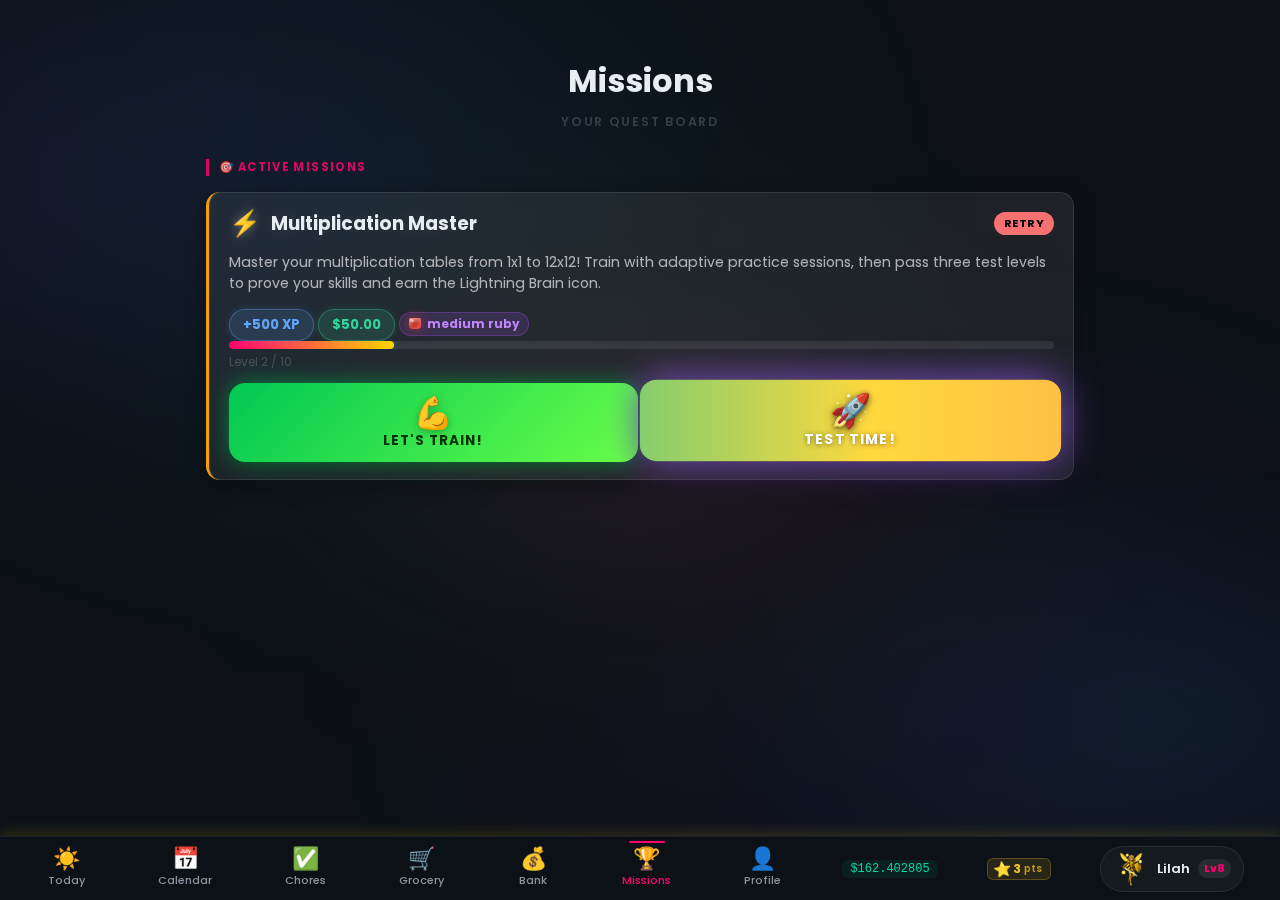
yourfamily.familyquest.casa/missions
Lilah's missions page showing Multiplication Master in training

Assign special challenges beyond regular chores. Kids train, prove their mastery through structured tests, and earn XP when they pass. You choose whether to add an optional cash reward — great for skills you want to prioritize.

  • Multiplication Master — adaptive practice from 1×1 to 12×12 with three test levels to beat
  • Spelling Star — sight words through compound words, built-in flash cards and graded tests
  • Piano and Chess — parent-reviewed missions for skills that need a human sign-off
  • XP always awarded on completion; cash rewards are optional and set by you

Good habits earn
real rewards.

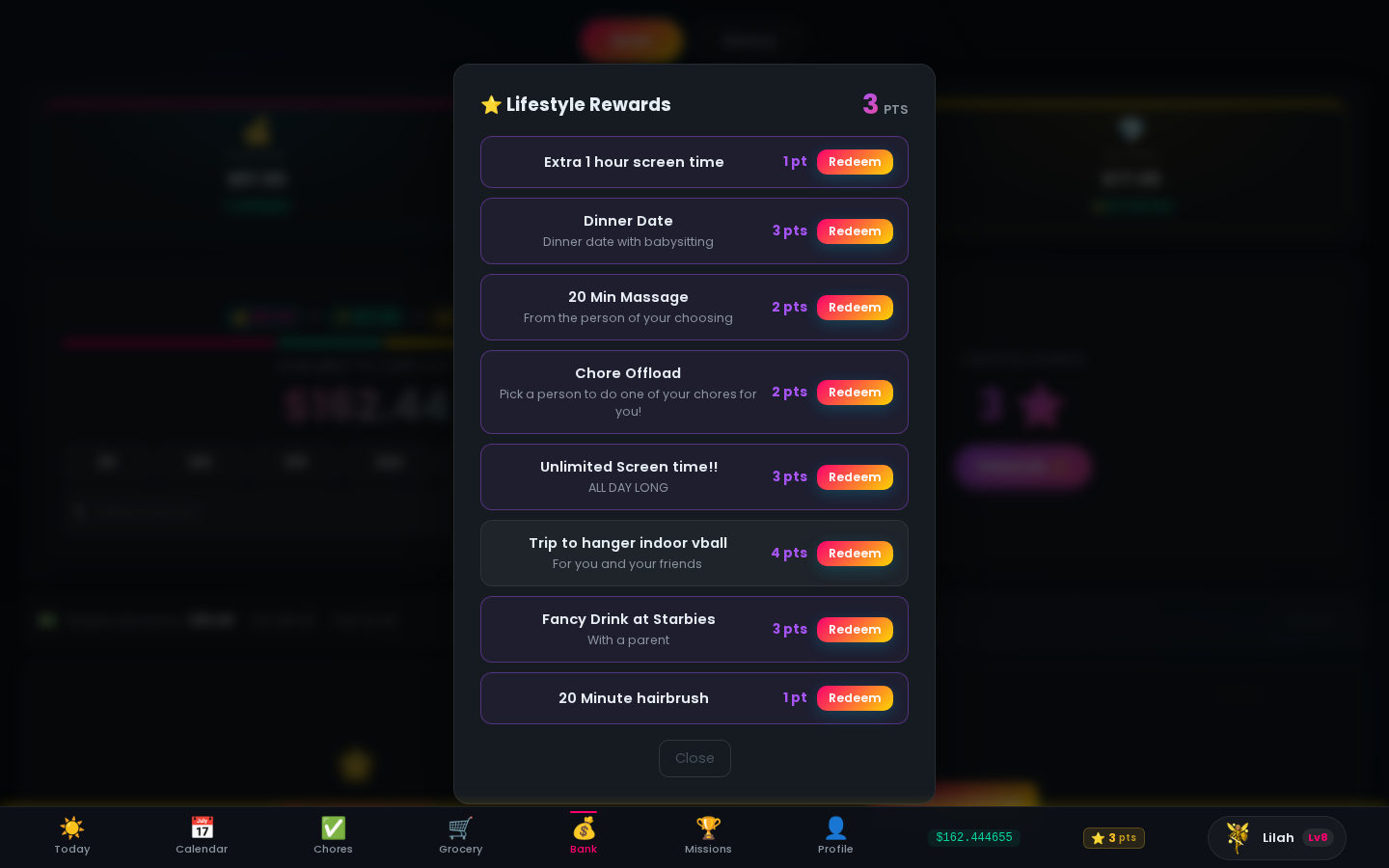
Beyond chores, kids set weekly lifestyle goals — reading, practice, exercise — and log them daily. Every goal hit earns lifestyle points. Parents build a custom reward shop: extra screen time, a movie night, dinner date, chore offload. Kids save up points and redeem what they want.

  • Daily goal logging from the Today page — one tap per habit, no friction
  • Custom weekly targets — set any habit with a day-per-week frequency
  • Parent-defined reward shop with custom names, descriptions, and point costs
  • Full redemption history keeps everyone honest and accountable
yourfamily.familyquest.casa/bank
Lifestyle Rewards shop showing privileges kids can redeem with lifestyle points

One list.
Everyone's on it.

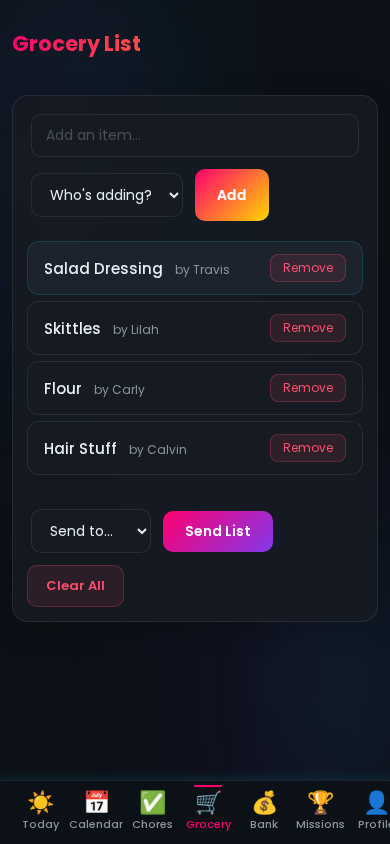
yourfamily.familyquest.casa/grocery-page
Shared grocery list showing items added by different family members

Any family member can add to the grocery list from any device. Everyone sees who added what, so nothing gets missed or doubled up. When you're heading out, send the full list to your inbox with one tap.

  • Anyone in the family can add items — kids included
  • Who added what is always visible, no confusion at the store
  • Send the list to your email before you head out
  • Clear it when you're done and start fresh for next week

You set the rules.
The game runs itself.

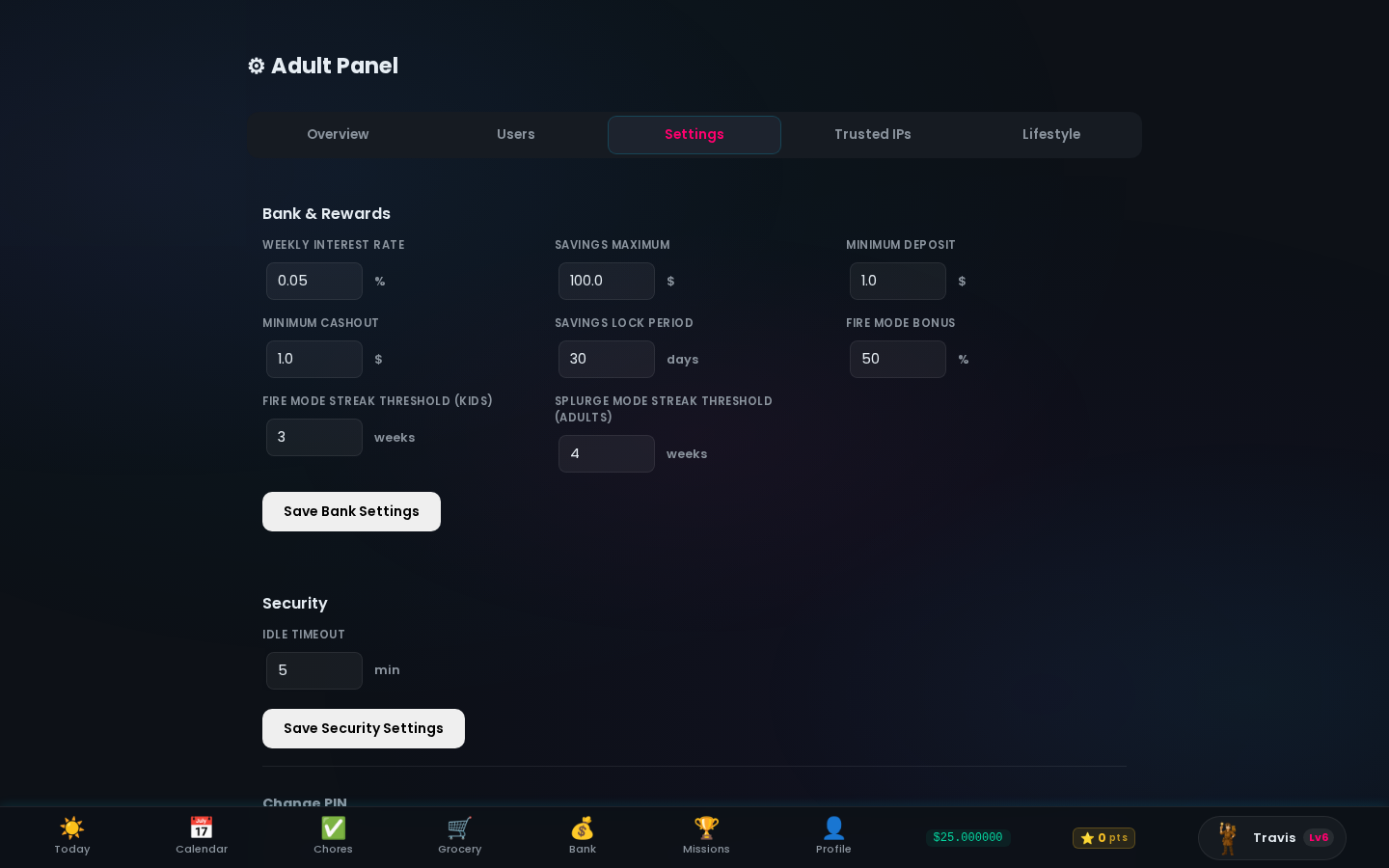
Configure allowances, savings interest rates, Fire Mode thresholds, streak bonuses, and security settings from one dashboard. Once it's set up, the app manages the rest automatically every week.

yourfamily.familyquest.casa/admin → Settings
Adult Panel Settings tab showing bank rates, streak thresholds, and security config

Simple, honest pricing.

All features included in every plan. No add-ons, no hidden fees.

Everything included in both plans
Monthly
$7.99 CAD/mo

Billed monthly after your 30-day trial

Start 30-Day Trial

30-day free trial. Credit card required — you won't be charged until day 30. Cancel before then and pay nothing.


Up and running
in under 5 minutes.

1

Create your family

Sign up with your family name. You get your own private subdomain at familyquest.casa.

2

Add your kids

Create a profile for each family member. They pick their character class and theme colour.

3

Set up chores & allowance

Build the weekly chore grid and set each kid's weekly allowance. Takes about 3 minutes.

4

Watch them level up

Kids check off chores, earn XP, build their bank balance, and unlock achievements every week.


Ready to start the quest?

30-day free trial. The only thing you have to lose is the Sunday night chore argument.

Create Your Family Hub →

$7.99 CAD/month after trial  ·  Cancel anytime  ·  Takes 5 minutes to set up